Requirements
- A PlayFab developer account.
- Visual Studio 2019 or 2022 installed.
- For more information on Visual Studio requirements for GDK development, see SDK & tools requirements.
Project setup
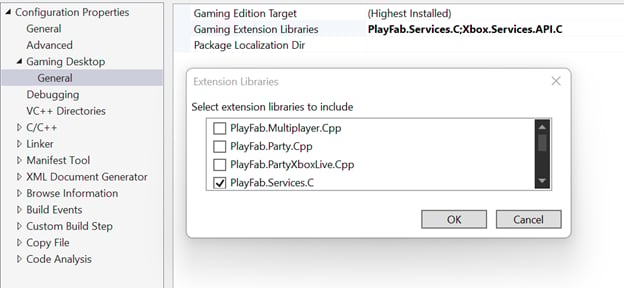
Similar to other GDK extension libraries, add the PlayFab Services SDK through project properties. In your project’s Configuration Properties, under Gaming Desktop > General, select Gaming Extension Libraries. From the prompt, check PlayFab.Services.C.